
Operation Improvement by Newly Designed User-Interface of Micro Measurement Program
By carefully simulating user workflows, a new user interface was created that organizes the screen layout into “Observation Image / Stage Control / Measurement Tools / Measurement Condition Settings + Spectrum”. This intuitive, workflow-oriented layout improves operational efficiency by allowing measurements to be obtained faster and more efficient. Each sub-window can be customized and toggled on or off, allowing users to view essential information at a glance. In addition to the main observation image, a merged image can be displayed side by side, enabling measurement regions to be defined on either image. During measurements, chemical images can be displayed in real time on both the main observation and merged images. The submap view provides a comprehensive overview of the autostage, allowing immediate stage movement by clicking any position on the submap. This functionality enables rapid access to measurement points immediately after sample placement.

Micro measurement program
Measurement Support Functions
The IRT-7X includes the following two navigation functions to assist with sample measurement:
IQ IR NAV detects measurement targets on the observation image in real time, utilizing advanced image processing and automatically registers and measures their coordinates.
IR Advanced Search NAV filters measurement targets based on sample characteristics, such as size and circularity, displaying the spectral search results in real time on the observation image.
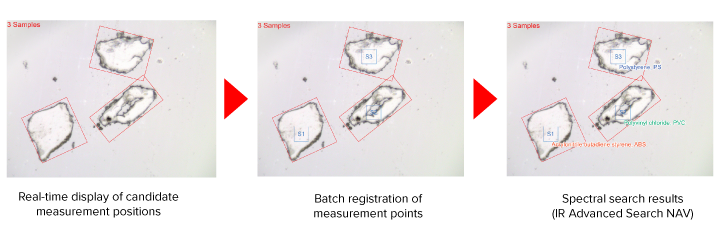
Measurement flow of IQ IR NAV
Autofocus
Samples pressed onto substrates, such as KBr or diamond, have several focal positions (e.g., the top surface, sample surface, and bottom surface), which can make precise focusing on the sample surface challenging. The autofocus function provides a numerical focus profile displayed as a graph, allowing users to easily identify the optimal focal position. Clicking on a peak in the graph automatically moves the stage to the corresponding Z-position. In addition, the system allows registration of frequently used focus positions, which streamlines focus adjustments for different samples and significantly improves workflow efficiency.

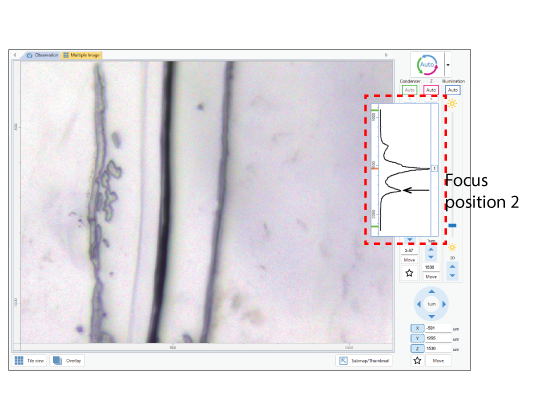
Observation image using x16 cassegrain mirror – KBr plate of multilayer film for food packaging –
Auto-Correct – Automatic Condenser Mirror Adjustment –
To obtain a clear transmission spectrum, the upper and lower Cassegrain mirrors must be accurately aligned to maximize measurement light throughput. In practical applications; however, the infrared focal position can shift due to refraction caused by the thickness of the sample or its holding substrate. The Auto-Correct function automatically adjusts the condenser (lower Cassegrain) mirror to the optimal focal position, enabling ideal measurement conditions to be reliably achieved with confidence.
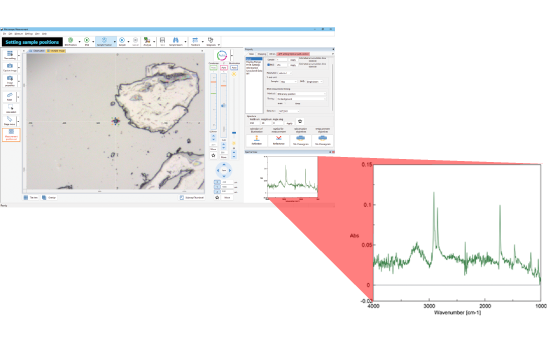
Before performing Auto-Correct
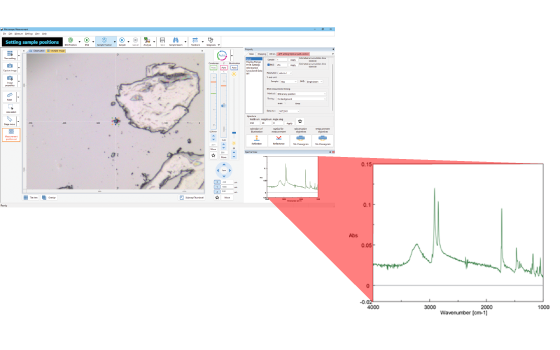
After performing Auto-Correct
(Spectrum quality improved)
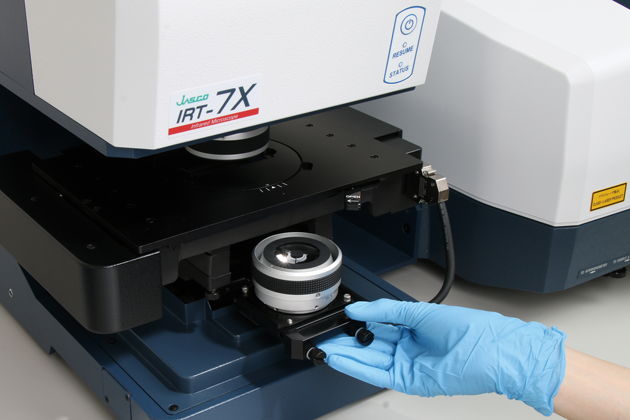
Condenser Mirror Slide-In Mechanism
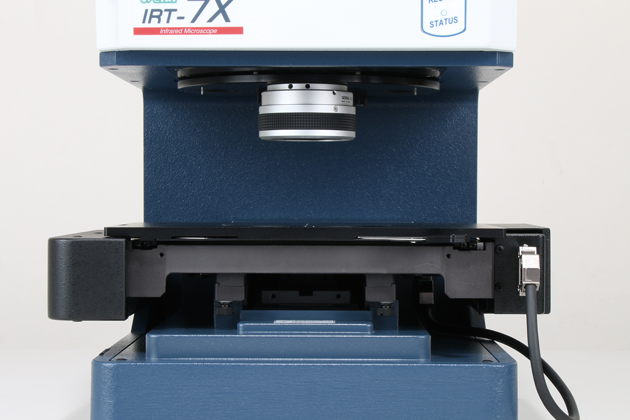
A convenient slide-in mechanism enables the quick and e ffortless exchange of the condenser mirror to change magnification. The IRT-7X supports reflection measurements for samples up to 40 mm thick.
Hardware Replacement Navigation
An intuitive and animated navigation guides users through a variety of hardware replacements to ensure an easy, safe, and confident workflow.
Hardware replacement navigation
– Changing the Z stage height
– Removing and attaching the spacer
– Replacement of the Condenser Mirror
– Replacement of ATR/RAS accessory
– Replacement of Objective lens

Example navigation for “replacement of the condenser mirror”